I spent half an hour taking notes during a meeting, only to look back and realize I had only written down the title. In class, I desperately wanted to type every word the teacher said, but my typing speed could never keep up with the lecture pace. When reading papers or materials, after finally finishing, if asked to recap the core ideas, my mind would be a total mess — that has been my most genuine struggle in recent years.
So when I discovered TideNote, an AI-powered smart note-taking app, my first reaction wasn't excitement but skepticism: yet another tool claiming to "free your hands," likely just voice-to-text plus a half-baked summary. After actually using it for a week, I realized my initial judgment was a bit hasty.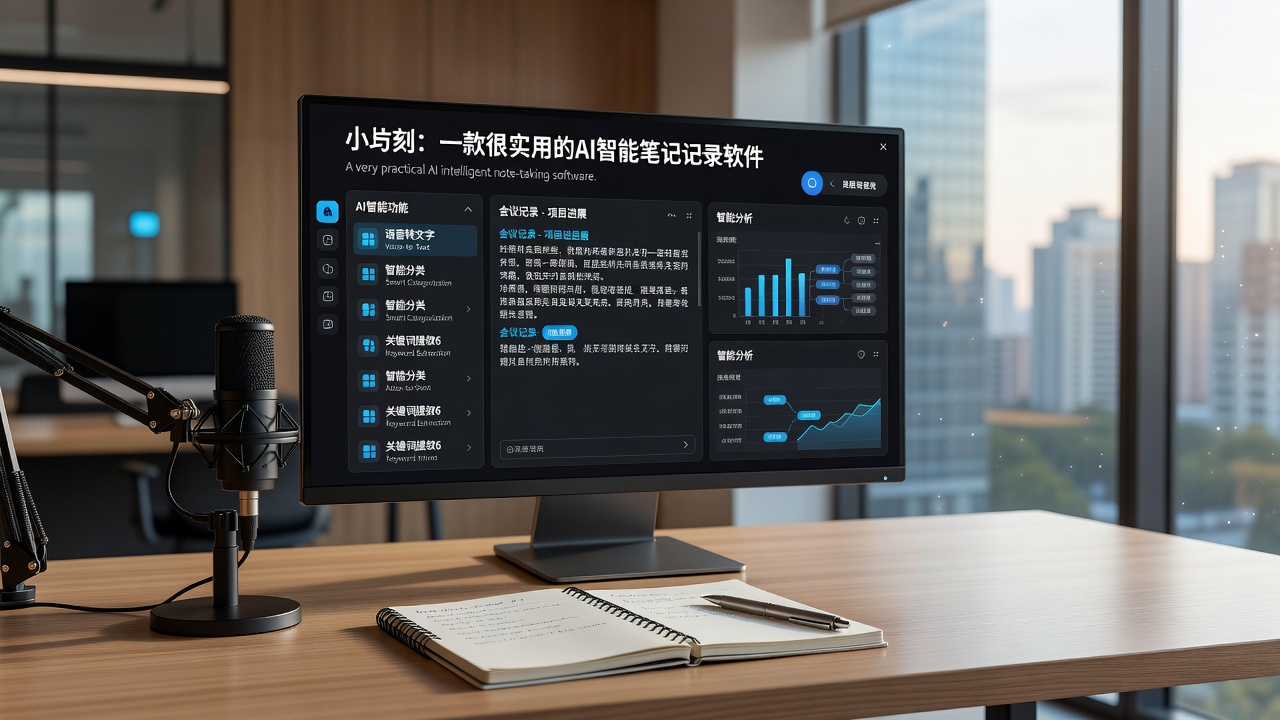
A Use Case That Changed My Mind
Last week, there was a cross-departmental project discussion covering technical plans, scheduling, and resource coordination — a huge amount of information. In the past, I relied on a voice recorder and then listened again afterward, but a two-hour meeting would require at least another two hours to re-listen.
This time, I simply opened TideNote, let it record, and manually jotted down a couple of keywords here and there. After the meeting, the software automatically generated a complete meeting summary and key points. Core decisions, action items, and points of disagreement were all clearly organized. I didn't re-listen to the recording; I just used the summary to follow up on the next steps. Honestly, this was the first time I felt an AI note-taking tool actually saved me time, rather than just being a different way to take notes.
What Makes It Different
Most note-taking tools on the market today are either "recording + simple captions" or "AI-generated summaries that look plausible but are full of fluff when you read them closely." TideNote strikes a relatively reliable balance between the two.
Recording and real-time transcription are basic features, and it passes that test. The real differentiator is its performance in the "organization" aspect. It doesn't just splice a few sentences together; it actually tries to understand the content structure — it segments by topic, identifies which conclusions were reached after discussion and which were proposed but not finalized. This logical cleanup feels like someone is helping you take meeting notes in real time, rather than just transcribing.
Moreover, the selling point of "turning into a clear summary in seconds" is no exaggeration. It adjusts the length of the summary based on the complexity of the content, retaining more details for information-dense sections and compressing rambling paragraphs into one or two sentences. This flexibility is something many fixed-format tools cannot achieve.
Three Use Cases I've Actually Tried
The meeting scenario has been covered — suitable for information-heavy meetings with multiple participants. However, note that if the meeting is mainly casual chitchat and divergent discussions, the output will also be scattered. The AI cannot forcibly organize illogical conversations into useful notes. That's not a tool issue; it's a meeting issue.
Classroom learning also works. I used it to record an online course on data operations. The instructor spoke quickly and flipped through slides fast; manual note-taking couldn't keep up. Afterward, the AI-generated notes were almost reorganized according to the instructor's slide logic. Cross-referencing the original text and the summary made review much more efficient than my own notes.
Handling research materials, such as reading papers or analysis reports. This use case is less straightforward — not direct recording, but rather dictating key points I've read, letting the AI organize them into structured notes. I tried this twice and found it closer to "thinking after processing in the brain" than traditional note-taking, because when you dictate, you automatically filter information.
A Few Drawbacks You Should Know
I've said a lot of good things, but some issues must be mentioned. First, speech recognition accuracy: in Chinese environments, when speakers have strong regional accents or multiple people talk simultaneously, transcription errors can occur. I can't blame it — no one in the industry has perfectly solved this — but it does affect the user experience.
Second, it's more suited for "content generation" style notes rather than "lightweight memo" style. If you just want to jot down a few thoughts during a meeting or write a quick shopping list, using it would be overkill, and waiting for AI processing might feel sluggish.
Another small detail: its support for English is slightly better than for Chinese. If your working language is primarily English, the experience will be smoother. In Chinese, although it's sufficient for daily use, you may occasionally encounter awkward sentence segmentation due to inaccurate word splitting.
Who Should Get It, and Who Might Wait
If you're like me, with many meetings, courses, and research materials to follow up each week, and you're tired of "not being able to take complete notes" and "not understanding what you wrote," then TideNote is worth a try. What it truly solves is the gap between "information" and "structure."
But if your note-taking needs are mostly about random thoughts, inspiration, or fragmented recording, or if you heavily rely on handwriting and drawing, I suggest sticking with your familiar tools. It's not a cure-all — it just excels at quickly organizing lengthy content.
Tools are about whether they save you time for more important things, not how many features they have. In this regard, TideNote at least spares me from spending two more hours re-listening to recordings after meetings. For me, that alone makes it worth the download.
Comments
Leave a Comment