You know that feeling after a two-hour Zoom meeting where your brain is numb and your notes are a mess of half-typed sentences and random bullet points? Or maybe you've just survived a dense lecture and realized you wrote down the professor's bad jokes but missed the actual formula. That's where Tidenote steps in — not to do your thinking for you, but to clean up the noise so you can actually focus on what matters.
Real talk: note-taking apps have failed us before
Most tools either record everything (good luck finding that one key decision later) or force you to type frantically while the speaker moves on. Tidenote flips the script by using AI to capture and summarize in real time. It's like having a friend in the meeting who quietly jots down the important bits while you stay engaged in the conversation.
Here's a concrete example: last week I had back-to-back client calls. With Tidenote running in the background, I didn't have to pause to write down every detail. After each call, I got a clean summary — action items, deadlines, key quotes. Ended my day without the usual mental fog.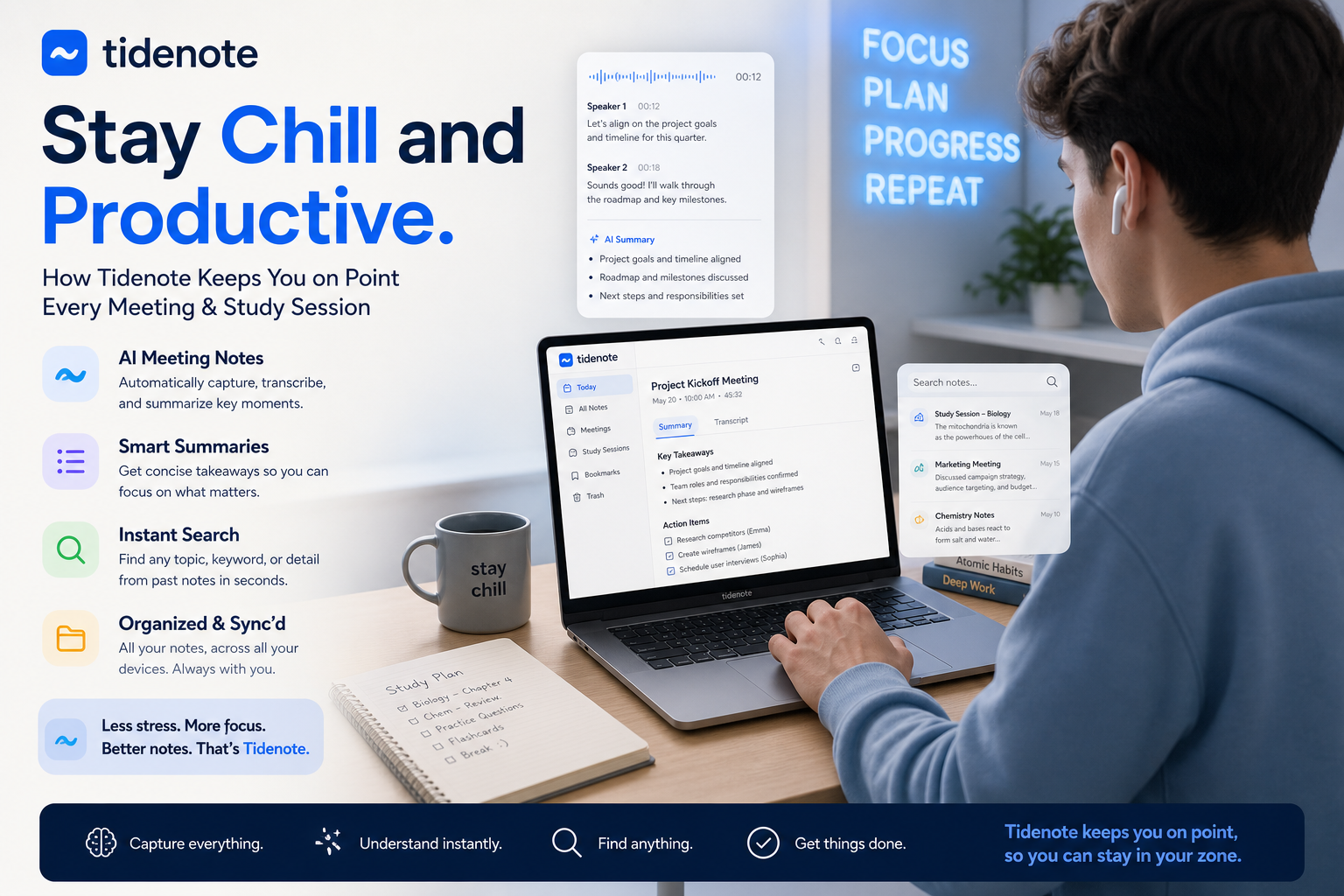
Three scenarios where Tidenote actually shines
1. The dreaded weekly standup. Instead of scribbling down who promised what, you can listen. Tidenote tags speakers and highlights action items automatically. No more "wait, did I miss the QA deadline?" moments.
2. Late-night study sessions. Research papers are dense. Tidenote helps you skim through a 30-page PDF and pulls out the core arguments and data points. You still need to read for nuance, but the initial lift is way lighter.
3. Brainstorming gone messy. When ideas fly around fast, normal note-taking breaks down. Tidenote organizes fragmented thoughts into structured notes you can revisit later. It won't magically make your ideas better, but it will keep them from disappearing.
Where it stumbles (because nothing's perfect)
Tidenote handles clear speech well — meetings with decent audio, lectures with a single speaker. But throw in overlapping conversations, heavy accents, or technical jargon like "GARCH model" or "nanoparticle synthesis," and the summaries lose some precision. You'll want to double-check the output. Also, if your meeting is highly creative or emotional (think feedback sessions or design reviews), the AI can flatten the tone. It captures facts, not vibes.
The tradeoff is straightforward: Tidenote saves you time on transcription and organization, but you still own the critical thinking. If you're looking for a tool to replace your brain, this isn't it. If you want to offload the boring stuff so you can think deeper, it's worth a spin.
Who should jump on this?
Students drowning in lecture recordings. Remote workers with back-to-back meetings. Researchers who comb through papers daily. If your note-taking is a bottleneck to your productivity, Tidenote removes that friction. But if you scribble as a way to process information, the summarized output might feel too polished for your taste. Test it against your own workflow before going all in.
Bottom line: Tidenote keeps you chill by handling the mechanical part of note-taking, so you can stay sharp in the moment. Try it on your next meeting — you might just reclaim that 30 minutes you used to spend untangling your own handwriting.
Comments
Leave a Comment