Are you familiar with the chaos of frantically jotting down keywords during a meeting, only to find them indecipherable later? Or half-listening in class, with notes only covering the beginning? Or having a desk full of research materials but struggling to produce a usable summary? These scenarios are all too common, aren't they?
In essence, what most of us need isn't a more feature-rich note-taking app, but a tool that saves us the post-work of organizing, summarizing, and refining. Work is already exhausting—why should note-taking be a chore from start to finish?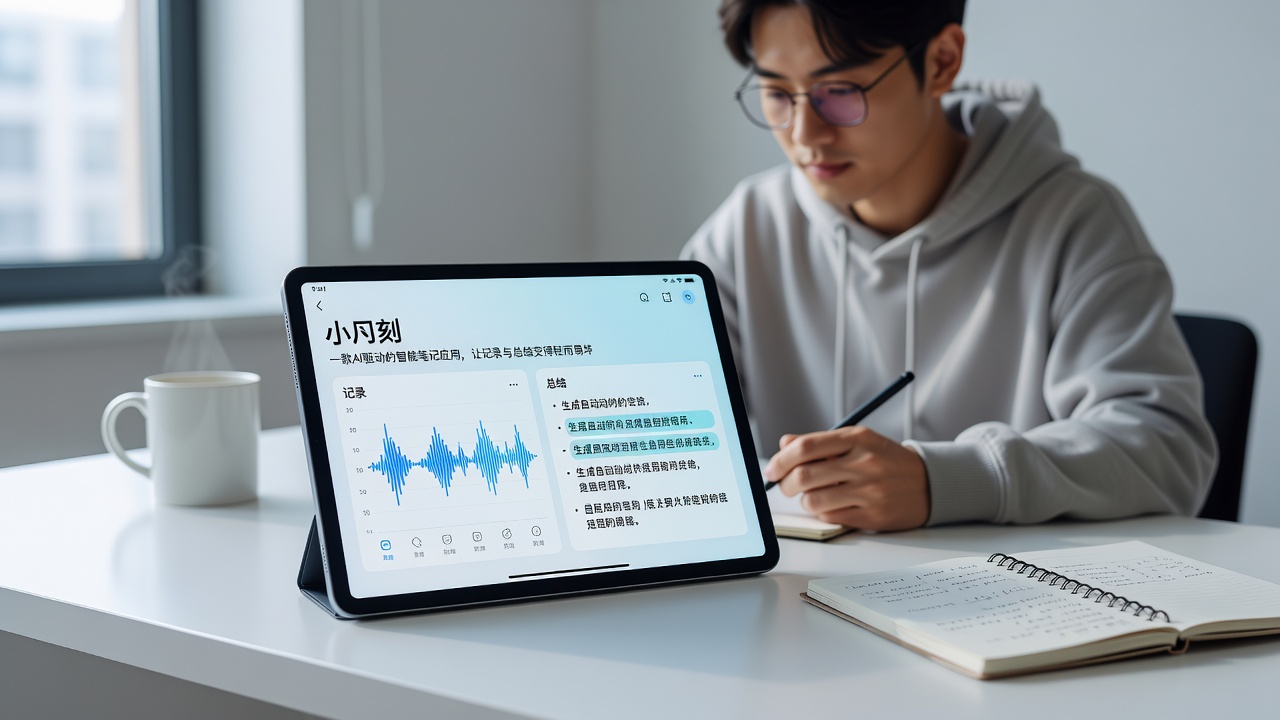
Recording and Summarizing, Split into Two Steps
I've tried many so-called "AI note" apps—most just add a basic speech-to-text feature or force a generic summarization function that churns out template-like content, unusable out of the box. TideNote's approach is different.
Its core idea is to separate "recording" and "summarizing" into two distinct steps. During recording, you don't worry about format, key points, or structure—just record audio, type freely, or dump ideas randomly. When it's time to organize, its AI distills the messy content into clear, well-structured notes with highlighted key points. This "draft first, refine later" rhythm aligns closely with how people actually work.
Recently, I attended a cross-department project meeting that was fully recorded—1 hour and 18 minutes of discussion covering budget, scheduling, and personnel allocation. In the past, I'd spend at least 40 minutes re-listening and organizing. With TideNote, as soon as the recording ended, I handed it over. In two or three minutes, I got a summary that listed each thread separately, with key action points automatically highlighted. Frankly, it was clearer than what I'd have done manually—I didn't miss anything I'd zoned out on.
Three Scenarios Worth Trying
After two weeks of use, I found a few scenarios where TideNote truly shines:
First, brainstorming sessions. These meetings are often highly divergent—one person starts, another jumps in with an idea, and someone else brings up a different topic. Traditional note-taking can't keep up. TideNote can reorganize these fragments by content dimension—for example, grouping all points about "technical solutions" together, and "resource needs" elsewhere. This isn't simple segmentation; it's true semantic clustering.
Second, reading papers or doing course research. Previously, I'd take excerpts while reading, but ended up with notes nearly as long as the original text—hardly a summary. With TideNote, you can toss in scattered ideas from your reading, and once enough accumulates, have it generate a topic-focused summary. I tried merging reading notes from about seven conference papers, and it produced a review-style note organized by technical topics, research methods, and experimental conclusions. The logic was basically sound, and it even flagged contradictions.
Third, everyday fragment recording. On the subway, in a queue—great ideas often slip away because you don't have time to organize them. TideNote's quick capture feature is convenient, and its speech-to-text accuracy is decent. Moreover, it automatically detects topic similarity between consecutive notes and proactively prompts you with "These entries can be merged and organized." This thoughtful design saves you the effort of hunting for connections.
Some Real Limitations
Of course, TideNote isn't perfect. I encountered two notable issues.
First, the quality of processing very long recordings can fluctuate. I tried two lectures over 2 hours; the first half of the summary was accurate, but the latter half occasionally drifted in topic. Officially, it supports up to 3 hours, but I recommend keeping individual inputs under 1.5 hours for more stable results.
Second, its handling of mixed Chinese and English text isn't flawless. In my work, I often mix Chinese and English; the AI sometimes misses English terms or translates them inaccurately. Purely English content works better than mixed languages. So for bilingual teams, you might need to double-check terminology.
Additionally, it doesn't offer offline functionality. The good news is that it doesn't require high bandwidth—4G works fine for speech-to-text—but you can't use it in basements or airplanes with no signal. Users who frequently travel or have unstable commutes should plan accordingly.
Who Should Get It Now
TideNote is best suited for professionals who have many meetings, high information input, but no assistant to take minutes, and for graduate students who need to read and organize large volumes of literature.
If you only occasionally jot down shopping lists or travel diaries, its core features might be overkill. Also, if your work requires strict formatting for notes—like specific templates—its current summary output is somewhat fixed, with limited customization.
Practical Advice to Help You Decide
If you want to try it, start with an actual meeting or class—don't first look at the feature introduction. Directly record, generate a summary, and see if the output quality reaches at least 60% of your own organization level. If it does, it will save you a lot of time. If not, it's likely that the usage scenario or method needs fine-tuning—for example, being too far from the microphone, excessive background noise, or content that heavily relies on visual materials (like whiteboards or slides).
Note-taking is essentially about compressing information into knowledge you can retrieve at any time. TideNote helps you compress, but ultimately, retrieval and understanding are up to you. It won't think for you, but it allows you to spend your thinking time on more important things.
Comments
Leave a Comment