Every time you have a meeting, attend a class, or read literature, the most frustrating part isn't the content itself, but the act of "taking notes." Typing while listening, your fingers can't keep up with your brain; later flipping through your notebook, you find that key points have already been buried in a sea of mundane details. Worse still, when there's too much information, organizing it becomes overwhelming—who hasn't stared blankly at dozens of pages of handwritten notes during finals week?
So when I saw an AI recording software like "Xiao Pianke", my first reaction was: being able to convert audio to text is basic, but can it truly extract the key points for me? After using it for a few weeks, I can say something upfront.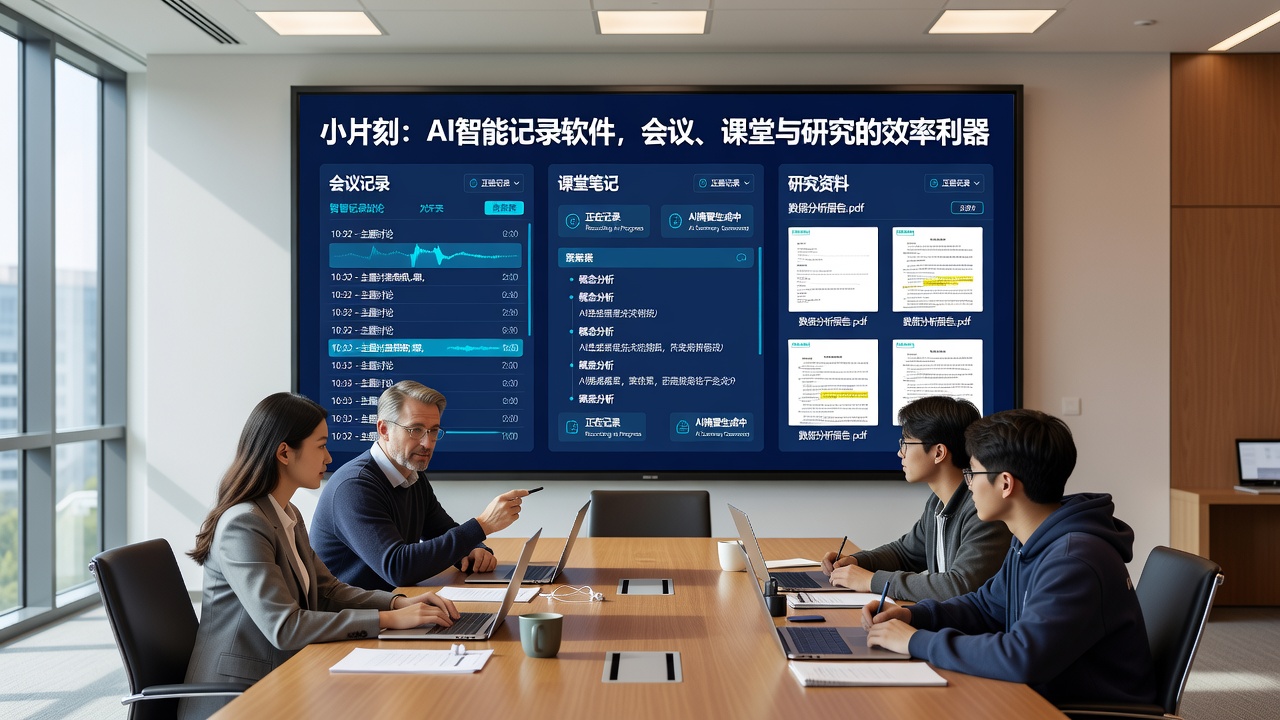
More than just transcription, the key is 'understanding'
There are many voice-to-text tools on the market, but most do only one thing: turn sound into words. The core difference of Xiao Pianke is that it doesn't just transcribe, but actively performs structured processing. Every time I import a meeting recording or class recording, it automatically generates a summary, including core topics, discussion points, and even action items. This is much faster than me going through the full transcript and highlighting key points myself.
For example: a department weekly meeting recording lasted forty minutes, and after transcription it was about six thousand words. The summary generated by Xiao Pianke was less than two hundred words, yet covered three project progress updates, two pending follow-up issues, and next week's deadline changes. I just need to glance at the summary to know which changes require me to adjust my plans. Previously, I might have had to re-listen to the recording or flip through notes; now it's done in five minutes.
Three typical 'life-saving' scenarios
Scenario 1: Cross-department meetings
Product people surely understand that kind of meeting involving three or four departments. Marketing speaks marketing language, tech explains technical logic, and you're stuck in the middle busy recording each side's views, ending up with just a "so messy" impression. Xiao Pianke's real-time recording plus subsequent smart organization allows me to focus on participating in the discussion. After the meeting, I throw the AI-organized minutes into the group chat, and no one on the team says they can't understand.
Scenario 2: Graduate classes or lectures
When professors speak quickly and cover many concepts, handwritten notes simply can't keep up. With Xiao Pianke recording in the background, it automatically generates a content outline after class. It's especially suitable for those classes where a theory is glossed over in a single sentence; the AI captures keywords, and after class I look up materials based on the outline to fill in details.
Scenario 3: Voice notes for lengthy literature
When reading papers, sometimes you finish a page and forget what came before. I use my phone to read aloud key paragraphs from the paper, let Xiao Pianke record them, and then have it make a brief summary. Compared to pure text annotation, this method is closer to the brain's "oral processing."
Where to hesitate
No tool is perfect; Xiao Pianke also has its applicable scope and limitations.
First, language clarity. If multiple people are speaking simultaneously or the environment is noisy (e.g., recording chat during coffee breaks), the accuracy will noticeably drop. No matter how smart AI is, it can't handle overlapping voices. It is recommended to ensure the microphone is close to the speaker in important situations, ideally with each person wearing a lapel mic.
Second, recognition of specialized terminology. I've tried meeting recordings in the medical device field, and some drug names and parameters were transcribed as common words. However, you can manually correct errors within the software, and it will gradually improve with usage habits.
Third, privacy concerns. All AI note-taking software requires uploading audio for processing. I've carefully read Xiao Pianke's privacy policy; data is encrypted and stored, but if you have extremely sensitive meeting content, you may still need to take manual notes or use a local recording solution.
Fourth, free quota. The free version has a monthly time limit. If you use it only occasionally, the free quota is sufficient; if you have multiple meetings every day, you may need to consider paying for unrestricted use. This is reasonable — the cost of AI servers is indeed not low.
How to determine if it suits you
If any two of the following apply to you, Xiao Pianke will likely save you time:
- Need to organize meeting or class notes after the event more than twice a week
- Often feel that your note-taking speed cannot keep up with speaking speed
- Have a high tolerance for the accuracy of AI-generated summaries (occasional missing or wrong words can be manually corrected)
- Willing to spend a few minutes doing simple proofreading within the tool, rather than completely hands-off
Conversely, if you demand absolute accuracy for every punctuation in your notes, or you are only accustomed to handwritten paper notes to maintain focus, then it might not be your first choice — but it can still be used as an auxiliary recording tool.
A final honest word
Xiao Pianke is a tool that reorganizes the act of "recording." It doesn't hype itself up, and after actual use, it indeed reduces tedious organizing work. The key is to actually use it, adjust a few times, and find the settings that best suit your scenario. Efficiency is often not something that improves instantly by switching tools; it's about learning to let the tool do what it's good at, and you do what you're good at.
Comments
Leave a Comment