Let’s be honest: juggling meeting notes, research reading, and everyday task tracking is a disaster for most of us. You end up with three different apps, half-written sticky notes, and a vague memory of that one key insight from Tuesday’s stand-up. I’ve been there, and after testing a handful of AI note‑taking tools, Tidenote actually stuck — not because it does everything, but because it does the right things without overcomplicating my workflow.
What Tidenote Does Differently
Tidenote markets itself as an AI note‑taker for meetings, classes, and research — and yeah, plenty of tools say that. But the difference is in the balance. It doesn’t force you into one rigid format (like only transcripts or only bullet lists). Instead, it gives you real‑time capture during a meeting, then lets you turn that raw content into a clean summary in seconds. No extra clicking through templates.
I’ve used it for a 45‑min sprint retrospective and a one‑hour research paper deep‑dive. Both times, it caught speaker labels, key decisions, and even flagged action items automatically. That “turn long content into clear summaries” line in their description? It actually delivers — the summary isn’t just a headline rewrite but preserves the nuance.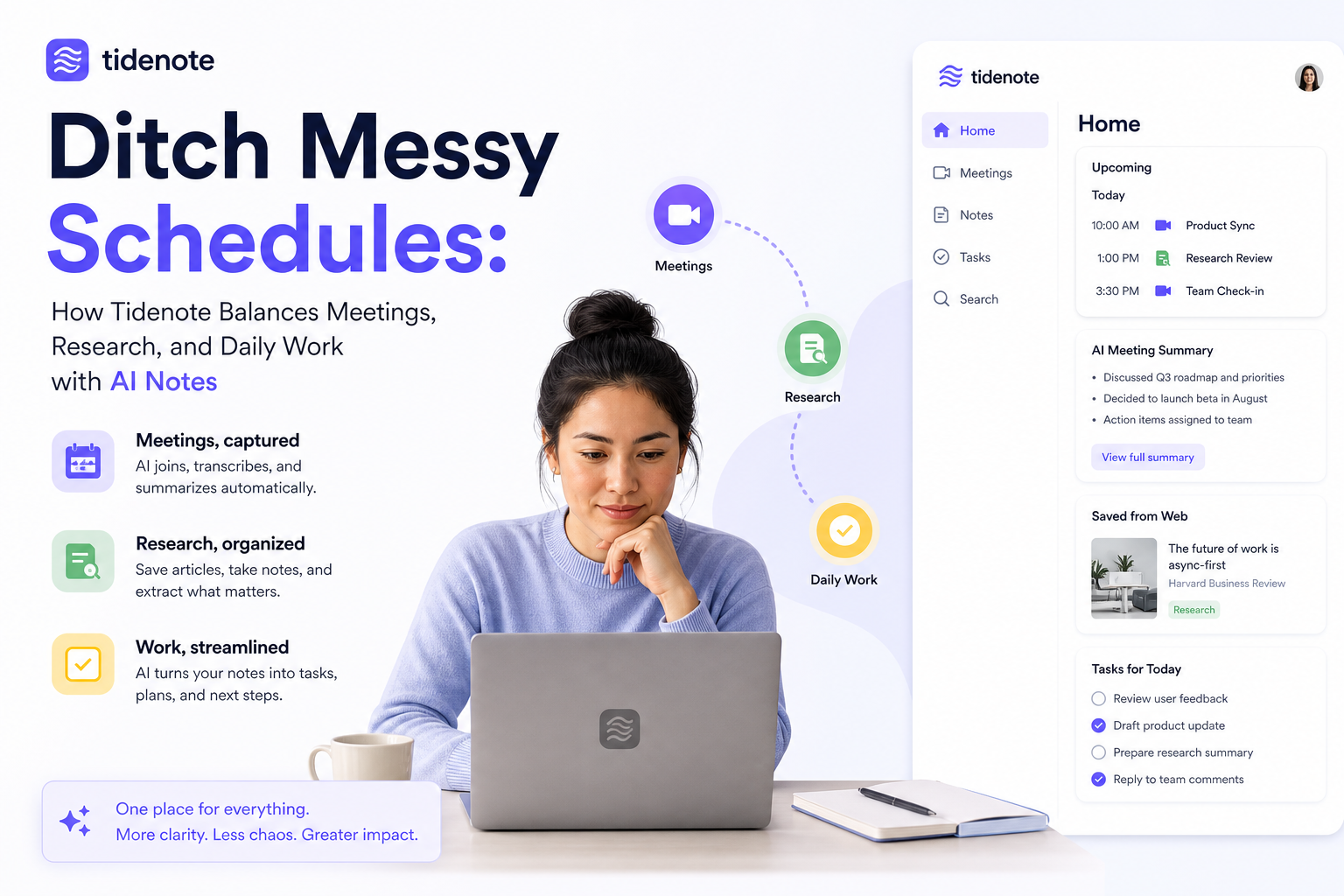
Three Scenarios Where It Shines
1. Hybrid meetings with multiple speakers
In a typical project sync, three people talk over each other. Tidenote separates speakers reasonably well (not perfect, but better than my memory) and tags each note block by speaker. After the call, I can jump to “what did Sarah say about the deadline” instead of scanning a 5‑page transcript.
2. Research reading and note clippings
When I’m skimming a white paper or a long article, I highlight key paragraphs and drop them into a Tidenote notebook. The AI then extracts the core argument and counterpoints. It’s not as deep as a dedicated research tool like Zotero, but for quick synthesis before a meeting, it’s faster.
3. Daily work note consolidation
I used to keep separate lists for to‑dos, ideas, and meeting follow‑ups. Now I just throw everything into one “work daily” note in Tidenote. The AI categorises entries as tasks, insights, or references. At the end of the day, I can generate a clean summary of what actually happened. Feels like having a mini PA.
The Tradeoffs You Should Know
Tidenote isn’t a one‑size‑fits-all. If you need heavy project management (Kanban boards, Gantt charts) or deep file annotation (highlighting PDFs with comments), you’ll still need other tools. Its strength is capturing and organising textual information quickly — not executing workflows.
Also, the AI transcription works best with clear audio. In a noisy co‑working space or over choppy Zoom connections, accuracy dips. I’d say it’s good for 80% of professional settings, not for recording a 100‑person lecture with bad mics.
The free tier is generous enough to try for a couple of weeks. For power users, the paid plan unlocks unlimited AI summaries and longer transcripts — worth it if you’re in back‑to‑back meetings daily.
Who Should Pick It Up
If you’re a knowledge worker who attends 3‑5 meetings a week, reads articles for work, and wants one place to capture it all without micromanaging tags and folders — try Tidenote. It’s especially good for people who hate setting up complex note systems.
If you’re a hardcore GTD practitioner who needs deep integration with Notion or Todoist, you might feel the pinch. But for everyone else who just wants to ditch the messy schedule and reclaim a bit of mental bandwidth, it’s a solid fit.
Bottom line: Tidenote won’t fix your entire productivity system, but it will fix the part where you lose important notes between meetings. And that’s a pretty good place to start.
Comments
Leave a Comment